How do I enter my equity details in Secfi if I use Carta?
If your company uses stock administration tool Carta, you can add you your equity details in a few quick steps.
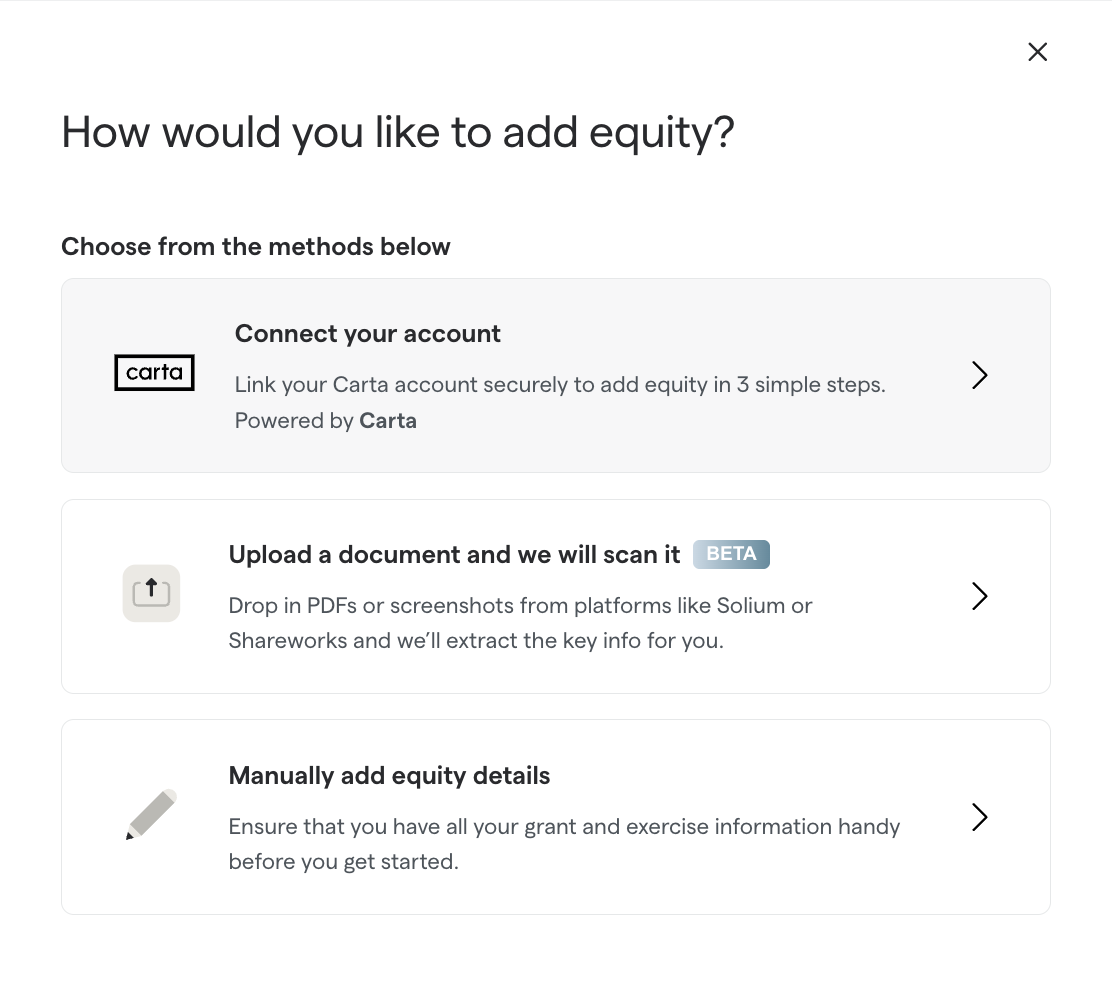
1. Click on 'Add Equity' and then select 'Connect your account'
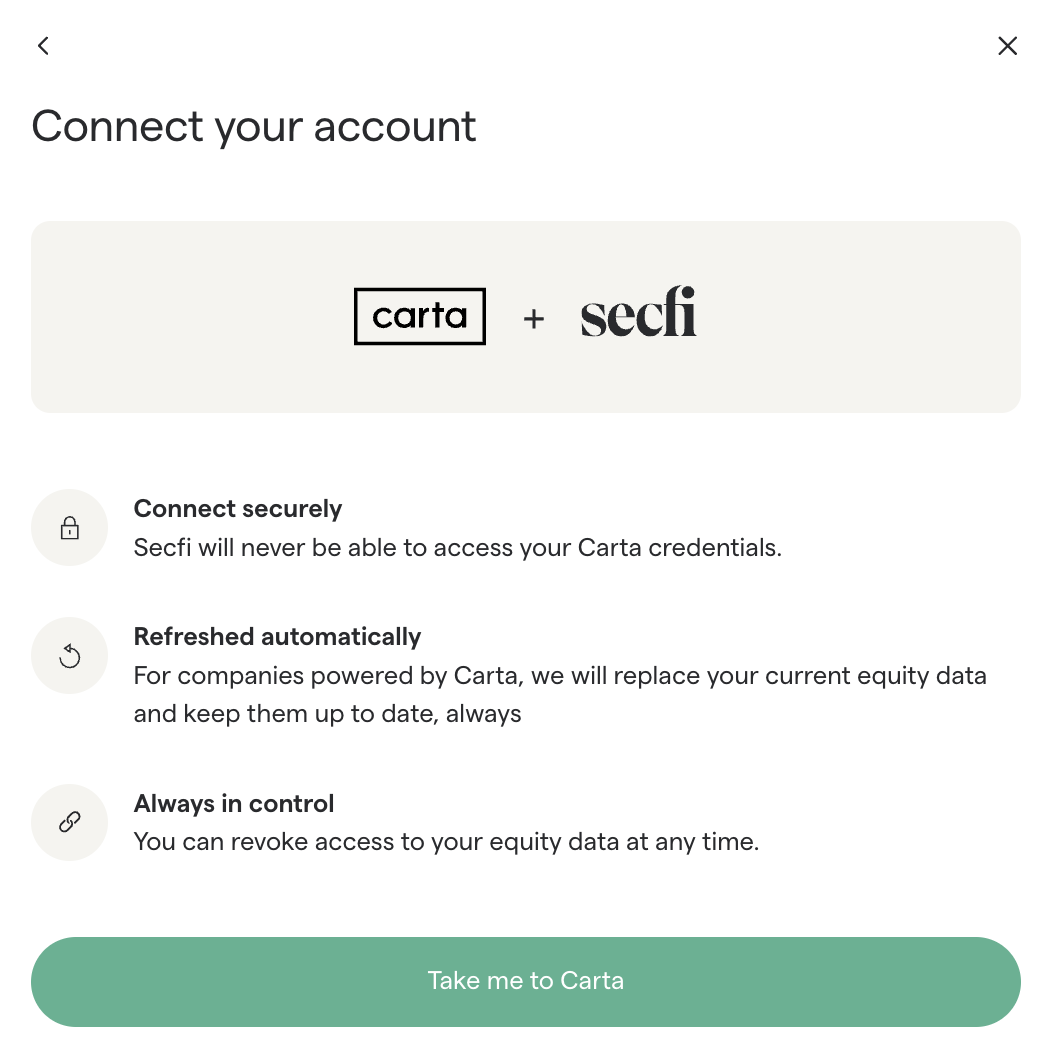
2) Continue by clicking on 'Take me to Carta'
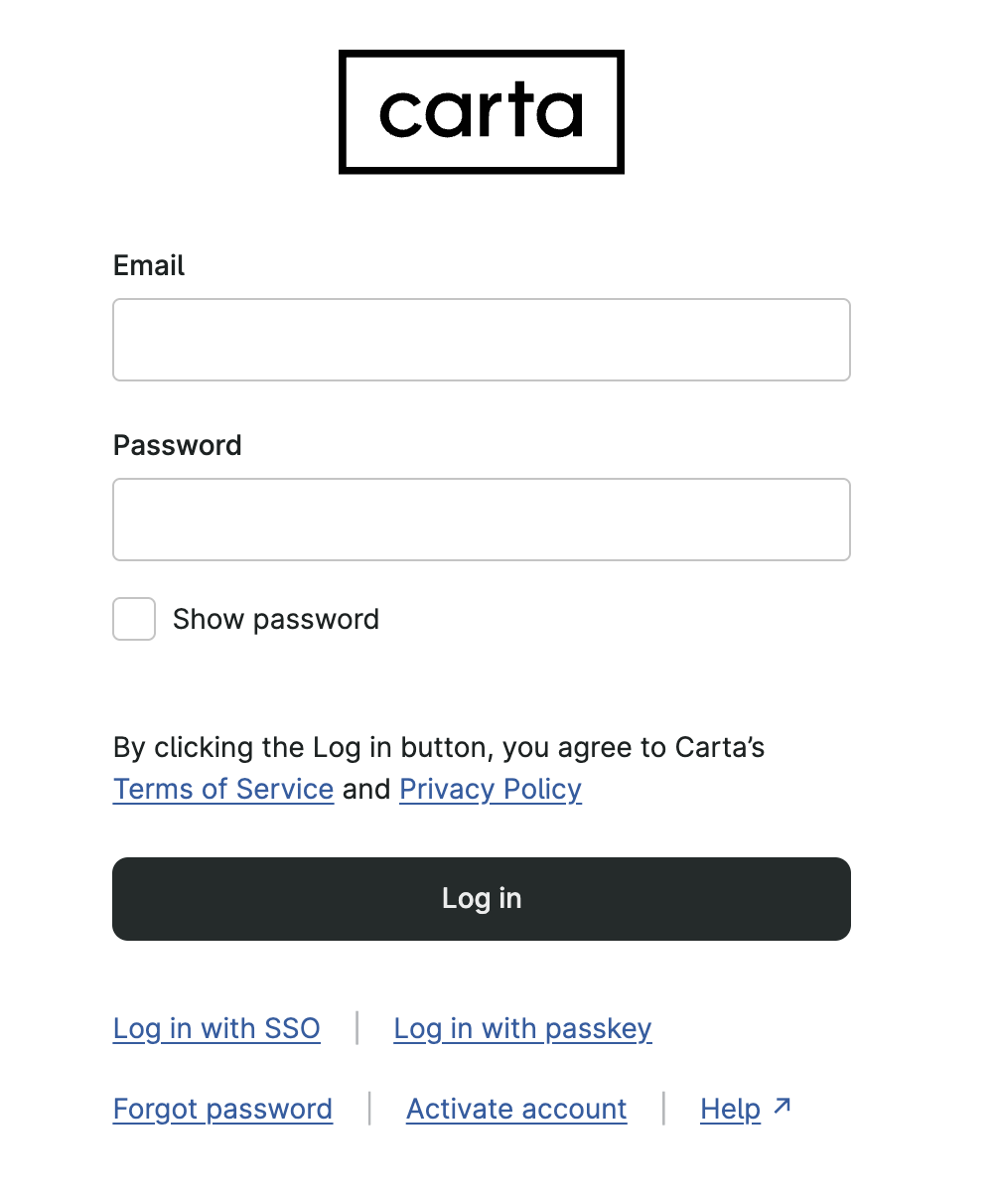
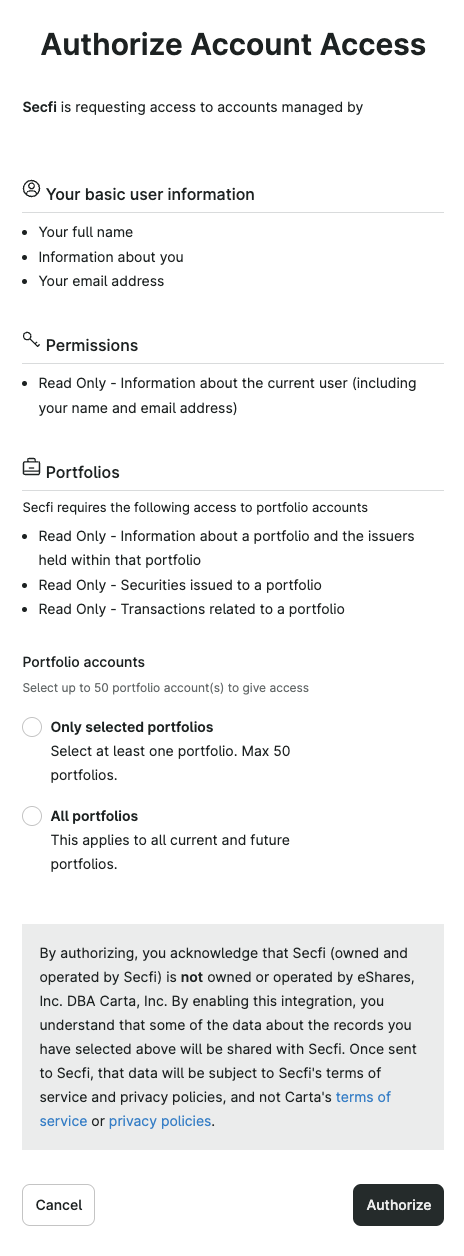
3) Login to your Carta account and authorize account access
4) Your equity data will be added to the Secfi platform.
You can remove your Carta connection by going to 'Manage Connection' under the Account Settings in the upper right hand corner.